
For accurate templates and patterns (woodworking, metalwork, sewing): TrueScale Print – calibration, alignment marks and a scale check. For a PDF that’s already the right size: Acrobat Reader’s Poster option works fine. For a quick image poster: PosteRazor. For halftone-dot wall art: The Rasterbator.
| TrueScale Print | Acrobat Reader “Poster” | PosteRazor | The Rasterbator | |
|---|---|---|---|---|
| Runs in | Web browser | Desktop app | Desktop app | Web browser |
| Opens PDFs | Yes | Yes | No (images) | No (images) |
| Opens images | Yes | No (PDF only) | Yes | Yes |
| Set size from a known distance (calibrate) | Yes | No – scale % only | No – final size only | No |
| Keeps PDF lines vector-sharp | Yes | Yes | — | — |
| Overlap | Yes | Yes | Yes | Yes |
| Alignment marks across sheets | Diagonals, grid, trim lines, labels | Cut marks & labels | Basic | Basic |
| Ruler / test square to check scale | Yes | No | No | No |
| Skips blank sheets | Yes | No | No | No |
| PDF layers (pattern sizes) | Yes | Yes (Layers panel) | — | — |
| Best for | Accurate templates & patterns | PDFs already at the right size | Simple image posters | Halftone-dot wall art |
| Price | Free | Free (Reader) | Free, open source | Free |
Adobe Acrobat Reader – “Poster”
If your file is already a PDF at the right size, Reader can tile it: in the print dialog choose Poster under Page Sizing & Handling, set the tile scale, overlap, and optionally cut marks and labels. It’s free and keeps vector quality. It can’t open images, can’t calibrate from a known distance, prints every tile including blank ones, and has no continuous marks to help line sheets up.
PosteRazor
A long-standing free, open-source desktop program for Windows, macOS and Linux. Load an image, choose paper, overlap and the final poster size, and it writes a PDF of tiles. It’s simple and works offline, but takes raster images (not PDFs), sizes by final dimensions rather than a measured distance, and offers only basic assembly help.
The Rasterbator
A web tool built for wall art: it turns a photo into a big poster made of halftone dots across many sheets. Great for decoration – not designed for accurate templates, since the output is deliberately stylised.
TrueScale Print
Built for templates and patterns where size matters. It opens PDFs and images, can calibrate from any known distance, keeps PDFs vector, prints continuous diagonal lines, a square grid, trim lines, sheet labels, a ruler and a test square, skips blank sheets, and handles PDF layers for sewing patterns. It runs in the browser with nothing to install, and files never leave your device.
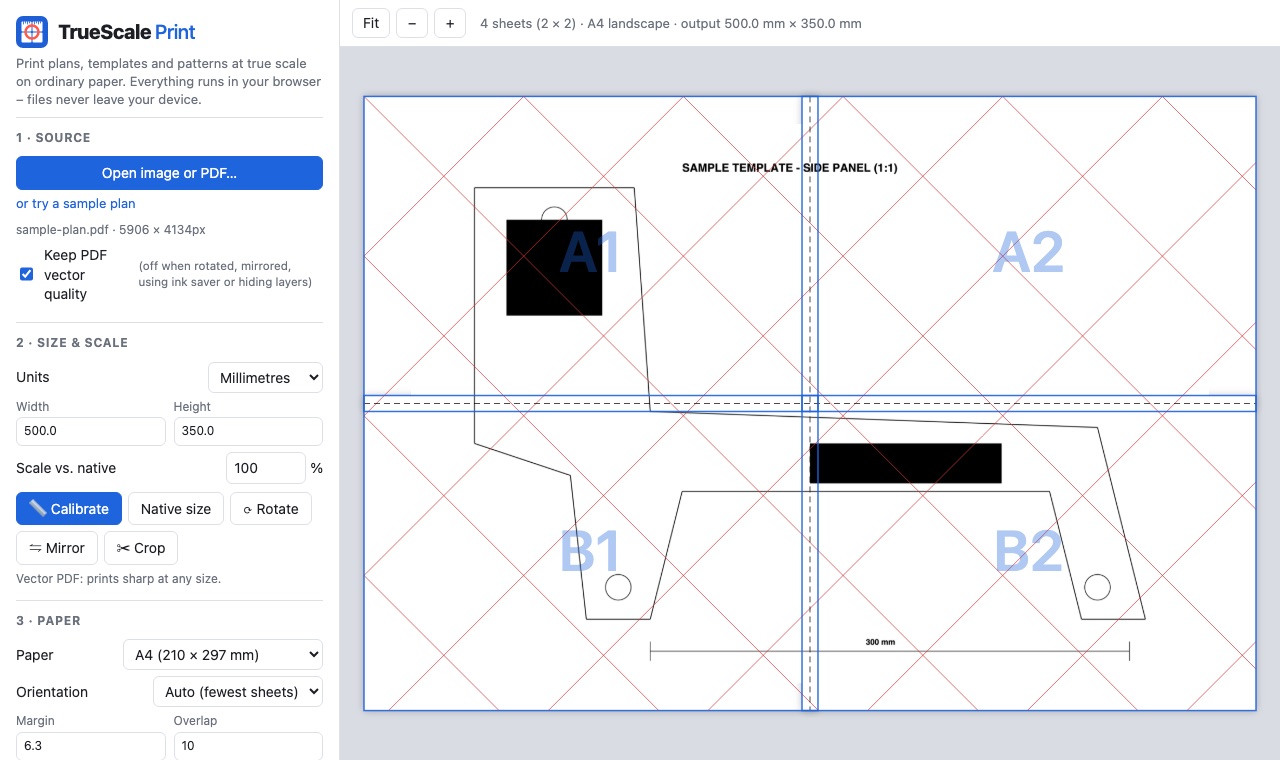
Try TrueScale Print free
Open TrueScale PrintFAQ
What is the best free software to print a large image on multiple pages?
For accurate templates and patterns, TrueScale Print. For a PDF already at the right size, Adobe Reader’s Poster option. For simple image posters, PosteRazor. For halftone wall art, The Rasterbator.
Can Adobe Reader print a PDF across multiple pages?
Yes – choose Poster under Page Sizing & Handling in the print dialog and set the tile scale and overlap.
Which tool can scale a photo using a known measurement?
TrueScale Print’s Calibrate tool: click both ends of a known length in the image and type its real size.